Active@ Undelete - Data Recovery Software

Home

Products

Support

Partners

Contacts

Documentation

How to Browse Device, Partition or File in Hex Mode?

Hex Editor is advanced tool for viewing and editing sectors of Physical Disks, Partitions and contents of any file type. Hex Editor uses a simple, low-level disk viewer which displays information in binary and text modes at the same time.
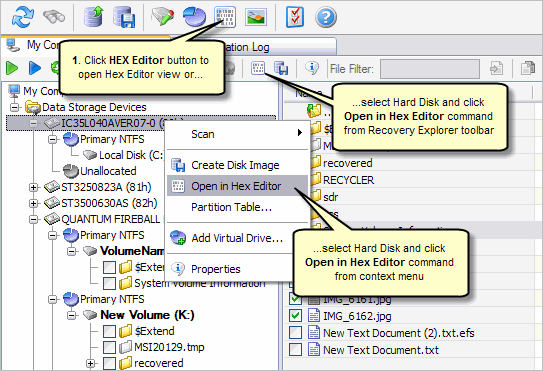
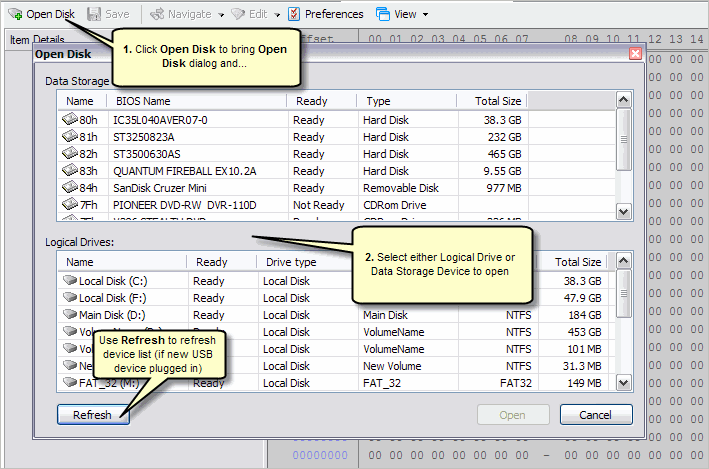
Step 1: Open Hard Disk in Hex Editor

Open Hard Disk Using Recovery Explorer View

Recovery Explorer View

Open Hard Disk Using Hex Editor View

Hex Editor View

See Also

Undelete
Download Now
Buy Now


Home |  Partners  |  Order  |  Products |  About Us

Active@ UNDELETE © 1998-2010 Active@ Data Recovery Software