Active@ UNDELETE Ver 7.0
See documentation for latest version
If you are using the Active@ UNDELETE Enterprise Edition you be able to connect to Active@ Remote Recovery Agent to recover files on (from) remote computer. Active@ Recovery Agent is a small utility that provides recovery features over a network environment.
The computer that you want to connect to must have Active@ Remote Recovery Agent running with status Enabled. After you establish connection through the network, then you can scan and browse the Files and Folders of the remote computer and select them for recovery.You can recover files locally (copy recovered files from remote computer to the one where Active@ UNDELETE is running) or remotely, e.g. recovered files will be stored on a computer where they were actually recovered.
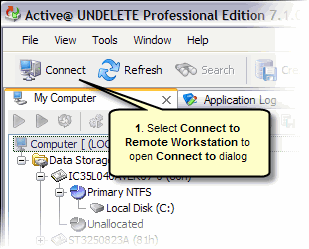
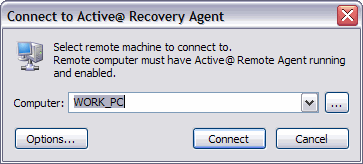
If the remote computer has Active@ Remote Recovery Agent protected with a password, you will need to specify the same password in Remote Recovery Options to be able to make connection. If the password you enter matches the password defined for Active@ Remote Recovery Agent the connection will be established.

