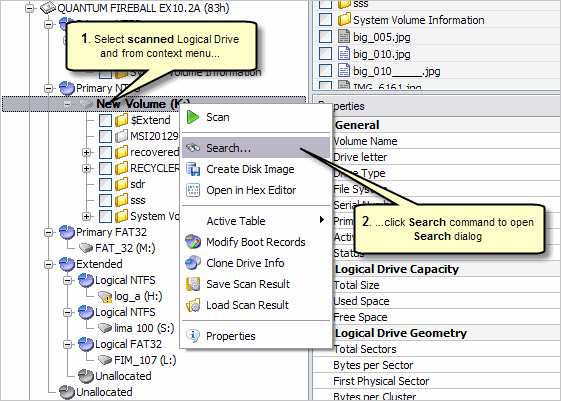
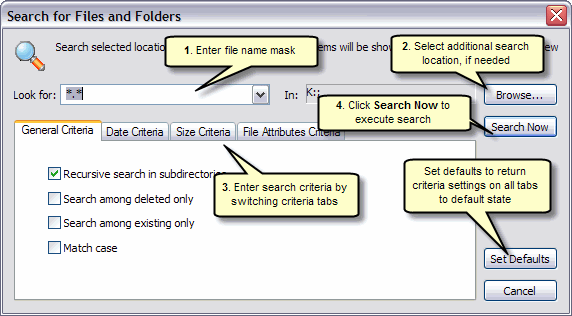
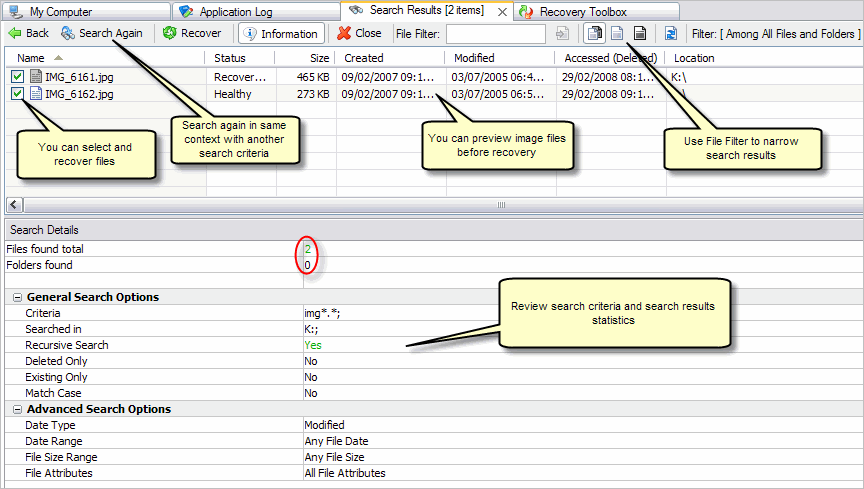
In general, you can execute search on any scanned Logical Drive or Partition (As well as detected partitions) for Files and Folders defining different criteria, such as file name mask, recovery status, File Size, File Date and File Attributes. See the following screen shots with basic steps of search action.