Active@ UNDELETE ver. 7x
See documentation for latest version
Stop and resume a scan
To stop a physical device scan at any time, press Stop. After you stop a scan, a Scan Results branch appears in the Recovery Explorer tree.
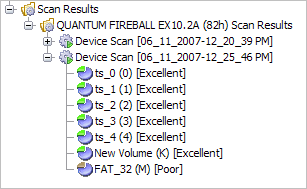
The example above shows how incomplete scan results are indicated. An icon appears next to each node in the Scan Results branch.

—
Device scan was
terminated and can be resumed

—
Device scan was completed
To resume a terminated scan:
- Select a device scan result under the Scan Results branch.
- To resume the scan, do one of the following:
- From the Recovery Explorer toolbar, click Resume Device Scan.
- Right-click the selected device scan and click Resume Scan from the context menu.

